A living chronicle
for your AI.
Persistent graph-based memory that survives across sessions and clients. A typed graph of knowledge stored as plain markdown, served through a thin MCP layer. ~75 MB RAM. Stays local.
curl -fsSL https://raw.githubusercontent.com/litopys-dev/litopys/main/install.sh | sh MIT · works with Claude Code, Claude Desktop, Cursor, Cline, ChatGPT Connectors, Gemini
The memory problem
Agents today forget everything between sessions. The two common fixes both break in production:
- 1 Vector databases. Heavy (~500 MB RAM), opaque (you can't read an embedding), and when the MCP server leaks you notice in OOM logs, not behaviour.
- 2 Flat markdown files. Simple, hand-editable, grep-able — until you pass ~30 notes and every agent query has to load everything.
Litopys takes a third path.
A typed graph of plain markdown files. Every node is a .md with YAML frontmatter — readable in any editor, versionable in git.
Queried over MCP by both keyword and structure. A 75 MB resident server swaps for a 500 MB one, and you can actually see what your agent remembers.
How it works
Your agent talks to Litopys over MCP. Litopys reads and writes plain markdown on your disk. Nothing leaves the box unless you opt in to a cloud extractor.
Claude / Cursor / Cline
Any MCP-compatible client. Speaks the 5-tool Litopys API: search, get, create, link, related.
litopys mcp stdio
One binary, ~75 MB RAM. Binds to 127.0.0.1 by default. Auto-loads a startup-context resource so the agent knows your active projects on every session.
~/.litopys/graph/
Plain .md files with YAML frontmatter. Edit in Obsidian, version in git, grep from the shell. 6 node types, 11 relation types.
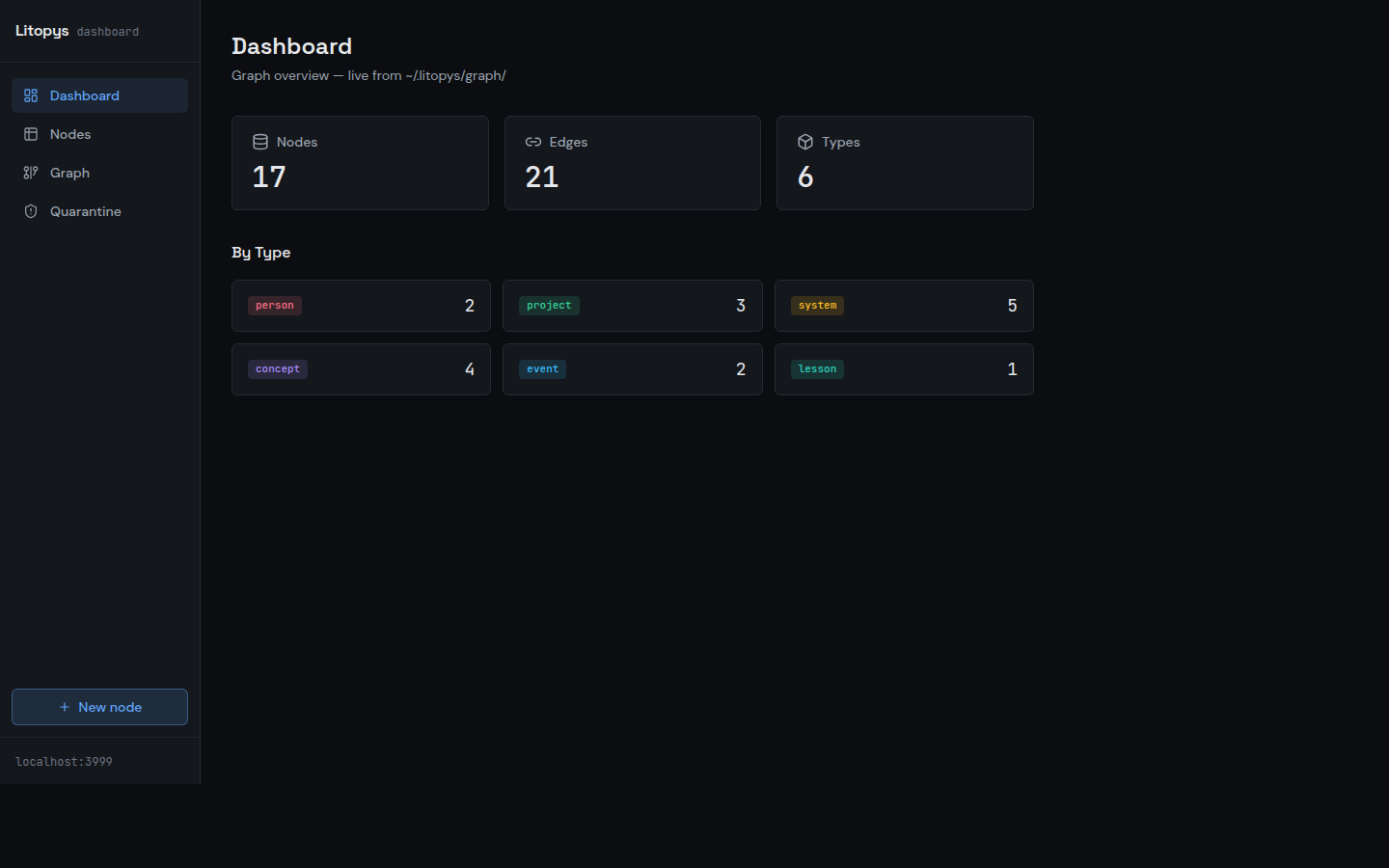
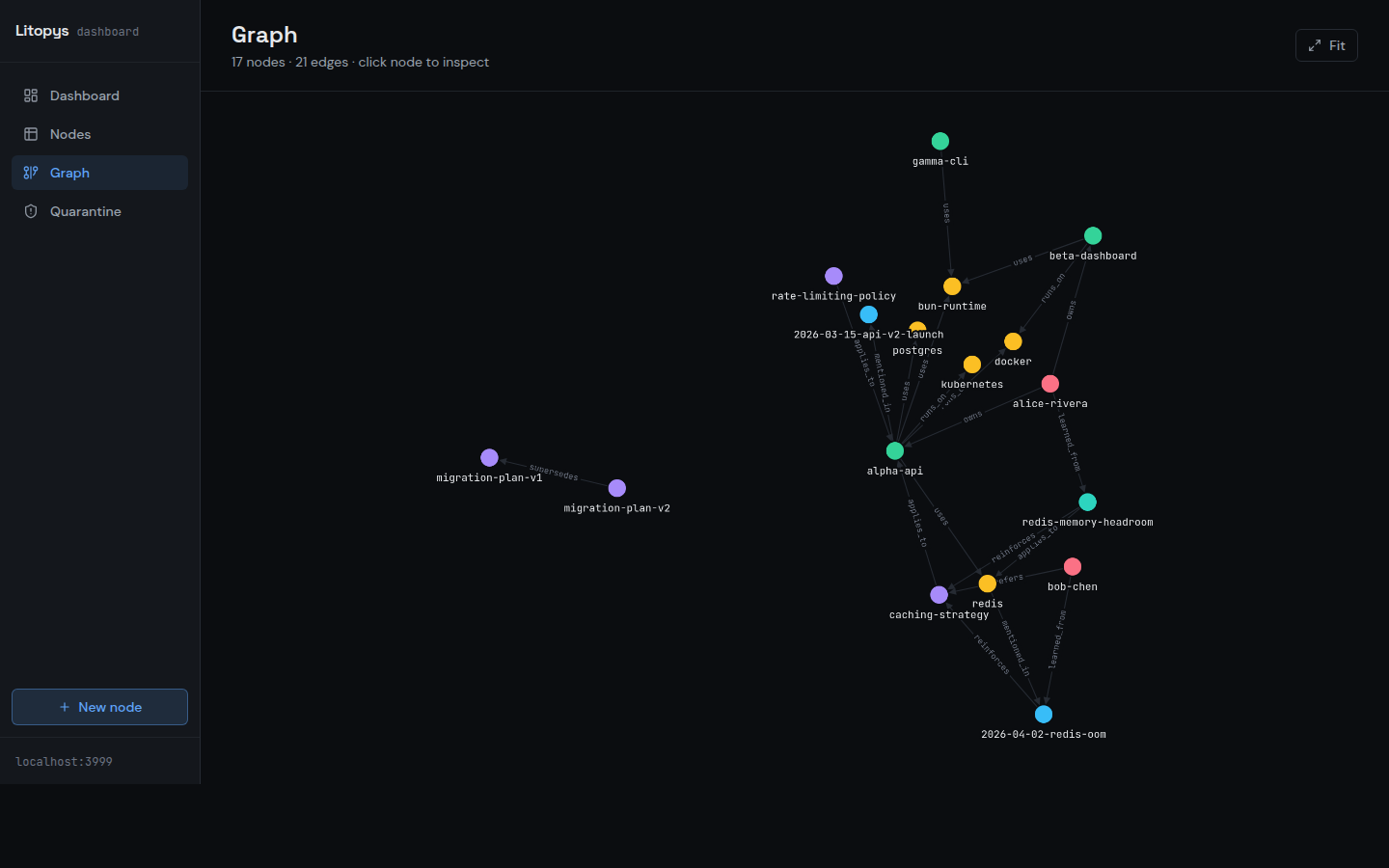
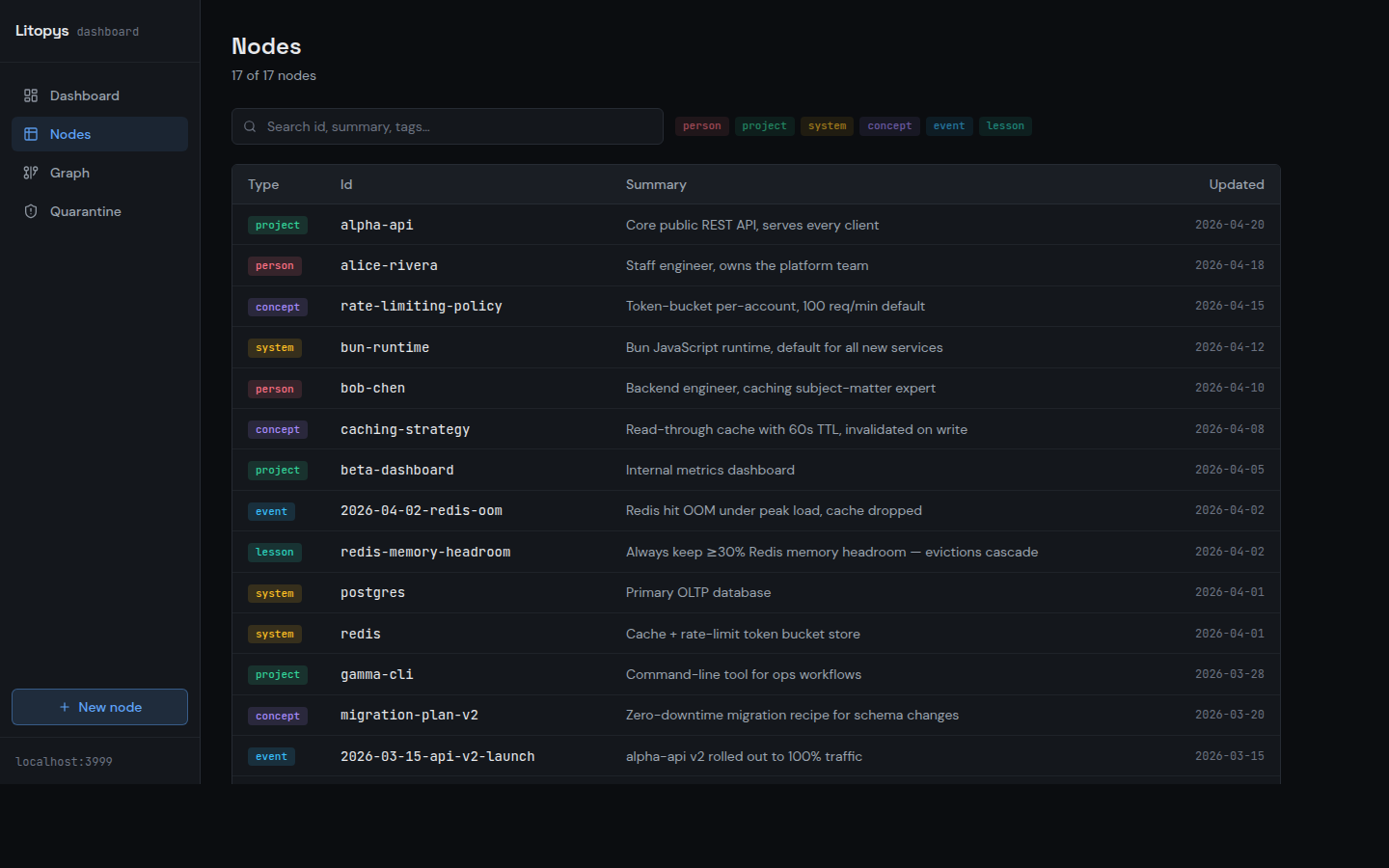
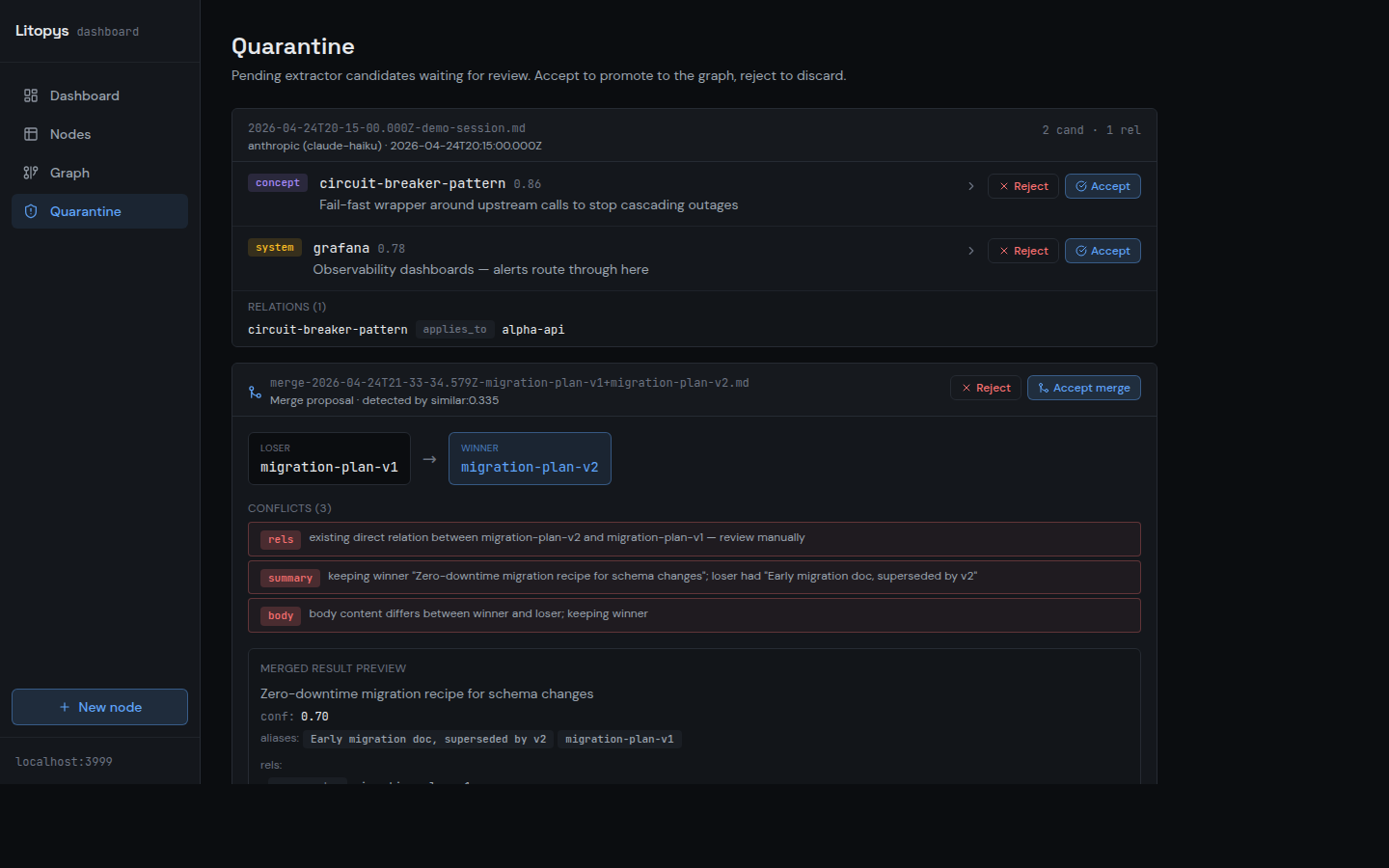
Screenshots taken against a synthetic demo graph — no real data.
New in v0.2.0
Time-aware queries, a maintenance pass for aging graphs, and a benchmark harness you can run in CI without API keys.
Two time axes per node
Every node carries occurred_at, since, and until. Ask "what was true in March?" independently of when the fact was recorded — supersedes auto-closes intervals so the timeline stays consistent.
Graph maintenance
--archive-tombstoned moves expired nodes to <graph>/archive/ with an auditable manifest. --auto-merge accepts similar-node proposals above a threshold. Your graph stays clean as it ages — no manual gardening.
Benchmark harness
Runs the graph against memory-benchmark datasets and scores recall@k, precision@k, and latency. Ships with a deterministic mock extractor so CI passes without API keys. Synthetic fixture today; LongMemEval / LOCOMO adapters next.
Install in 10 seconds
One-line installer downloads a single ~100 MB binary to ~/.local/bin/litopys, initializes the graph, and prints MCP registration hints.
curl -fsSL https://raw.githubusercontent.com/litopys-dev/litopys/main/install.sh | shRegister with your MCP client
claude mcp add litopys -- ~/.local/bin/litopys mcp stdio{
"mcpServers": {
"litopys": {
"command": "/home/you/.local/bin/litopys",
"args": ["mcp", "stdio"]
}
}
}Per-client recipes for Cursor, Cline, ChatGPT Connectors, and Gemini live in docs/integrations.
Litopys vs. the alternatives
Honest comparison against the two common memory setups for MCP agents today.
| Litopys | Vector DB (Chroma / Qdrant / pgvector) | Flat markdown | |
|---|---|---|---|
| RAM (server) | ~75 MB | ~500 MB | tiny |
| Storage | Plain markdown + YAML | SQLite / Qdrant / pgvector | Plain markdown |
| Hand-editable | Yes, any text editor | No, opaque embeddings | Yes |
| Scales past 100 nodes | Yes, typed graph | Yes | No, becomes a wall |
| Queryable by structure | Yes (11 relation types) | No, similarity only | No, grep only |
| Ships with dashboard | Yes, local :3999 | No | No |
| Runs offline | Yes (Ollama extractor optional) | Usually yes | Yes |
Numbers from the author's own install (Ubuntu, Bun 1.x). Full footprint breakdown (including Ollama 3B/7B transient cost) in the README.
FAQ
Does Litopys send my data anywhere? +
~/.litopys/graph/. The MCP server binds to 127.0.0.1 by default. No telemetry. The only outbound call is the extractor — and the extractor is optional. Pick Ollama if you want zero outbound traffic.What's a "typed graph"? +
uses, owns, depends_on, learned_from, etc.). Source/target types are checked on write, so you can't accidentally claim a person runs_on a system.Which MCP clients does it work with? +
docs/integrations/.Do I need the extractor? +
Can Litopys pull notes from Notion? +
@litopys/notion-sync reads recently edited Notion pages via the Notion REST API, extracts knowledge candidates with your configured LLM, and queues them in quarantine for review. Set NOTION_TOKEN and run litopys notion-sync, or install the bundled systemd timer for hands-free 6-hour syncs.What happens if the LLM writes a bad fact? +
litopys quarantine accept) or the dashboard. Nothing lands unreviewed.How do I back it up? +
litopys export > graph.json for a deterministic JSON snapshot, or just git init inside ~/.litopys/ — everything is plain markdown, so git just works. litopys import restores on a fresh host.